
raptor-visitor-management
Raptor Visitor Management: An Honest Review for Schools
An honest, vendor-neutral review of Raptor's school visitor management system — what it screens, what it costs, and which front desks need the full safety platform.
By InstaCheckin Team
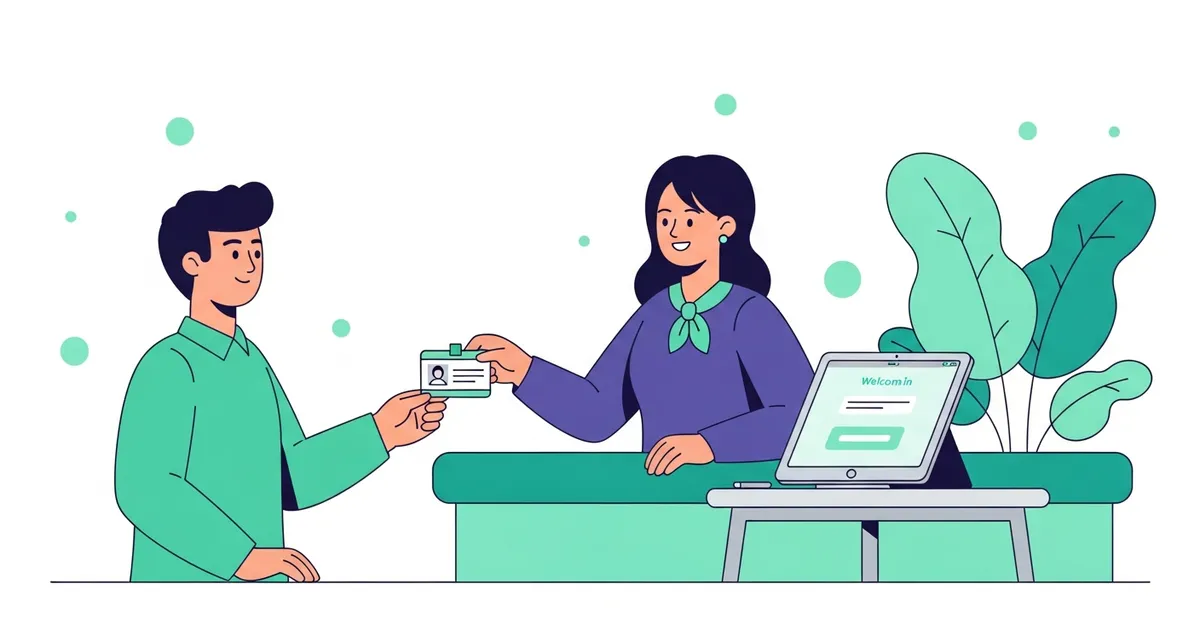
Ninety-seven percent of public schools already require visitors to sign or check in and wear a badge, according to the National Center for Education Statistics on school safety and security measures. So the real question at most schools isn’t whether to log visitors. It’s which system to run. If you’ve been researching Raptor visitor management, you’ve found one of the most widely used school-safety platforms in the country, built around a job paper logbooks can’t do: screening visitors against sex-offender registries before they get past the front office.
This post does two things. First, a fair review of what Raptor actually does and who it’s for. Then an honest answer to the question a lot of schools and school-adjacent offices ask next — do we need the full safety platform, or would a simpler iPad sign-in app cover our front desk?
A quick note on who’s writing this. InstaCheckin publishes this comparison and makes one of the products mentioned. We’ve kept the Raptor details factual and linked to primary sources. Where Raptor is the right tool and we’re not, we say so plainly.
Feature claims about Raptor are based on publicly available product information as of July 2026. Vendor features and pricing change; verify directly with Raptor before purchasing. Trademarks are property of their respective owners. InstaCheckin is not affiliated with Raptor Technologies.
What Raptor visitor management does
Raptor is a K-12 school safety platform, and visitor management is one piece of it. At the front desk, the system scans a government-issued photo ID, checks the visitor against registered sex-offender databases and any custom watchlists the school maintains, and prints a visitor badge if the person clears. That’s the documented flow on Raptor Technologies’ visitor management system page.
The screening step is the reason schools buy it. Public sex-offender registry data in the U.S. is coordinated through the Department of Justice’s National Sex Offender Public Website, which links every state, territory, and tribal registry into one search. Raptor checks arriving visitors against that kind of data automatically — something a paper logbook or a basic sign-in app simply can’t do. Around that core, Raptor sells a broader suite: emergency and drill management, volunteer screening, and student dismissal and attendance tools.
School visitor screening sits close to child-safety and student-privacy rules. FERPA governs education records, not visitor logs in most cases — but the line can blur, and screening decisions carry real weight. This post describes product features, not legal advice; check specifics with your district’s counsel.
What you’re actually paying for with Raptor
Raptor’s value is concentrated in one place: it turns “a stranger walked into the building” into “a screened visitor with a badge and a logged record.” For a district that has to run offender screening across dozens of buildings, that’s the right kind of tool, and the price follows the mission.
Raptor doesn’t publish a self-serve monthly rate. Pricing is quote-based and usually scoped per building or per district through its sales team — normal for the school-safety segment, where deployments are large and contracts are annual. If you’re comparing budgets, you’ll need to request a quote rather than read a number off a pricing page.
The tradeoff is scope. You’re buying a safety platform, with the setup, training, and administration that implies. If your building’s real need is a clean, professional sign-in and fast host notifications — not registry screening — you may be paying for a mission you don’t have.
When a Raptor alternative makes sense
Not every building that needs visitor sign-in needs a full K-12 safety platform. A few situations where a lighter tool fits better:
- Administrative and non-instructional buildings — district offices, professional-development centers, transportation depots, and other sites where the goal is a searchable log and host notifications, not offender screening.
- Private, independent, and micro-schools, preschools, and enrichment programs that want a paperless, branded front desk without district-scale screening mandates.
- Schools that already handle screening another way and just want to modernize the front-desk experience — photo badges, NDAs or media-release forms, and instant host alerts.
Here’s the honest boundary, and it matters: if sex-offender screening is a hard requirement at your main student-facing entrance, InstaCheckin is not a substitute for a screening platform. It doesn’t run registry checks. For that door, keep a dedicated safety platform like Raptor, or pair InstaCheckin with your existing screening process — and use it where the job is sign-in, not screening. We built a dedicated Raptor alternative for lighter front-desk sign-in page that walks through exactly those cases.
Raptor vs InstaCheckin: a school front-desk comparison
Feature claims about Raptor are based on publicly available product information as of July 2026. Many features vary by plan and deployment — confirm with the vendor before signing. Trademarks are property of their respective owners. InstaCheckin is not affiliated with Raptor Technologies.
| InstaCheckin | Raptor | |
|---|---|---|
| Primary purpose | General iPad visitor management | K-12 school safety platform |
| Sex-offender registry screening | No — not a screening tool | Yes, core feature |
| Photo capture + badge printing | Yes (Brother QL printers) | Yes |
| NDA / waiver / form capture | Yes, by visit purpose | Confirm on vendor site |
| Host notifications | Email + SMS | Confirm channels on vendor site |
| Emergency management + dismissal | No | Yes |
| Platform | iPad-first (App Store since 2017) | Multi-product safety suite |
| Pricing | Published on the pricing page | Quote-based (confirm with vendor) |
| Best fit | Offices and lighter school front desks | Buildings needing mandated screening |
The cells marked “confirm on vendor site” aren’t gaps — they’re details we won’t assert on Raptor’s behalf. Raptor’s own site is the source of truth for what it ships. For the wider category, our best visitor management software roundup and the visitor management system pillar put both kinds of tools in context.
What InstaCheckin brings to a school front desk
InstaCheckin is an iPad-first visitor management system. It’s not a safety platform, and it won’t pretend to be one. What it does well is the front-desk experience:
- Branded, paperless sign-in on an iPad kiosk that shows your school’s logo and colors — a better first impression than a clipboard, and no visitor PII left on a page for the next person to read.
- Photo capture and printed badges via Brother QL label printers, with fields like host, date, and purpose of visit.
- NDAs, waivers, and media-release forms signed on the kiosk during sign-in and archived with the visit record.
- Host notifications by email and SMS the moment a guest signs in, so the office doesn’t have to phone down the hall.
- A cloud visitor log you can search and export to CSV or PDF, filter by location, host, or date range, and use as a real-time “who’s in the building” list for evacuations.
For schools running more than one building, the same dashboard manages up to five kiosks per location. If you want the vertical-specific rundown, see our school visitor management system for iPad sign-in page.
FAQ
Is Raptor visitor management only for schools?
Raptor is built around K-12 and campus safety, and its screening features are designed for schools first. It’s used in some higher-ed and other settings too, but the core product assumes a school’s needs. Confirm current scope on Raptor’s own site.
Does InstaCheckin screen visitors against sex-offender registries?
No. InstaCheckin handles sign-in, photo badge printing, NDAs, and host notifications — not registry screening. If mandated screening is required at a student-facing entrance, use a dedicated safety platform there and treat InstaCheckin as the front-desk sign-in tool elsewhere.
What’s a good Raptor alternative for a school office?
For administrative buildings, private or independent schools, preschools, and after-school programs that want a professional paperless sign-in without a full safety platform, InstaCheckin is a lighter iPad-based option. Our Raptor alternative page walks through where it fits and where it doesn’t.
How much does Raptor cost?
Raptor’s pricing is quote-based and usually scoped per building or district through its sales team. Contact Raptor directly for a current figure, since anything quoted secondhand goes stale quickly.
Can InstaCheckin print visitor badges like Raptor?
Yes. InstaCheckin captures a visitor photo at sign-in and prints a branded badge via Brother QL label printers, with customizable fields like host name, date, and purpose of visit.
See how InstaCheckin handles your school’s front desk
If your building’s job is a clean, paperless sign-in with photo badges and instant host notifications — not registry screening — the fastest way to judge InstaCheckin is to run it on your own iPad. Start a free trial and have visitor sign-in, badge printing, and email and SMS host alerts live at the front desk in an afternoon.
Frequently asked questions
Is Raptor visitor management only for schools?
Does InstaCheckin screen visitors against sex-offender registries?
What's a good Raptor alternative for a school office?
How much does Raptor cost?
Can InstaCheckin print visitor badges like Raptor?
Related reading
Best Visitor Management Software in 2026 (SMB Picks)
The best visitor management software for SMB offices in 2026. Honest picks for 10–500 employees, sub-$200/location budgets, and afternoon-fast setup.
Best iPad Visitor Sign-In Apps in 2026 (Honest Comparison)
The best visitor sign in app for SMB iPad-first offices in 2026. Honest comparison of InstaCheckin, Envoy, Sign In App, SwipedOn, Lobbytrack, Visitly, OneTap.
Envoy Alternative: 5 Cheaper Visitor Management Tools
Looking for an Envoy alternative? Compare InstaCheckin, Sign In App, SwipedOn, Visitly, and OneTap on price, setup time, and where Envoy still wins.