
Visitor management for offices, schools and manufacturers
Visitor sign-in for iPad, set up in minutes.
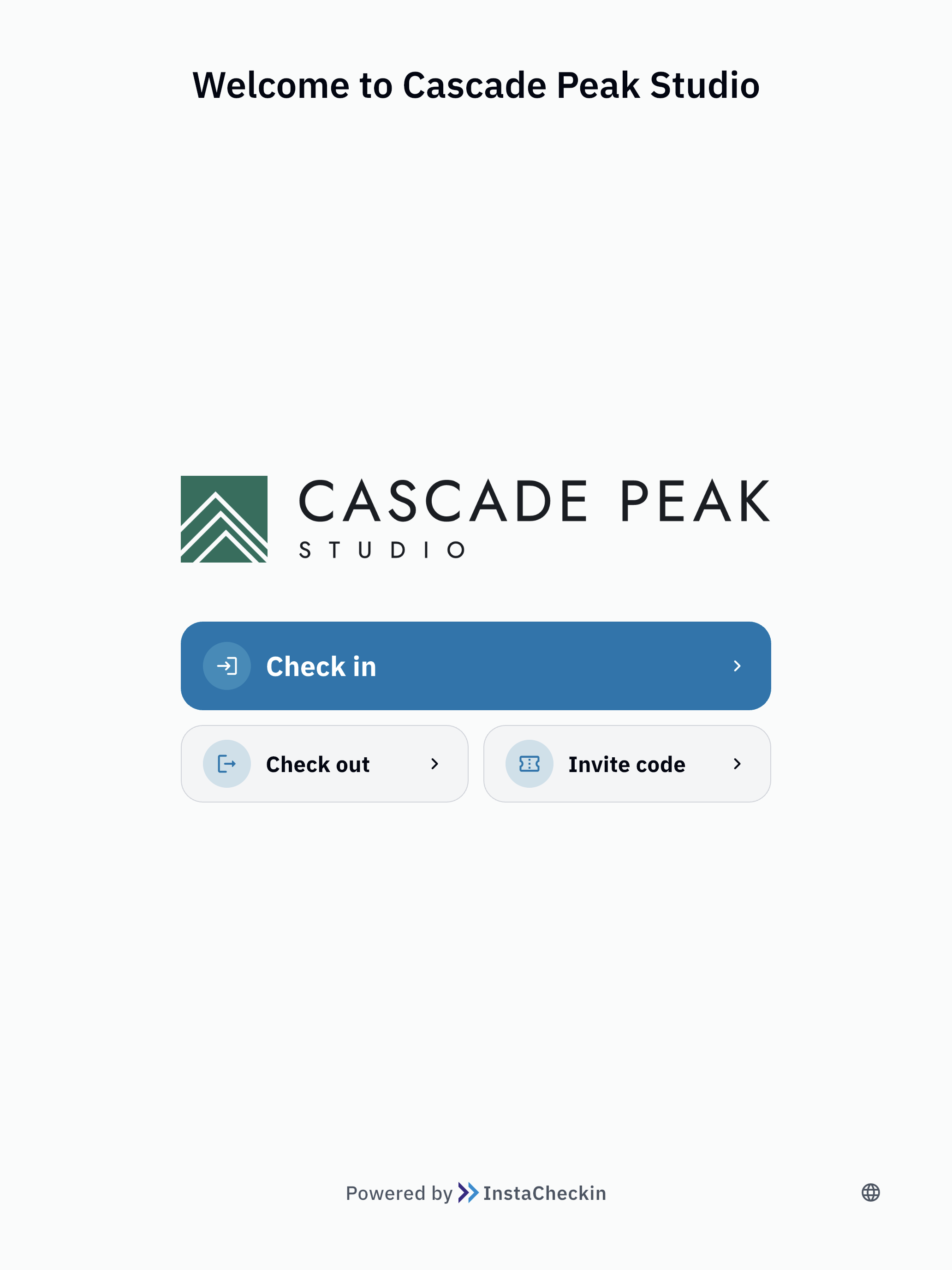
Visitors check themselves in at an iPad kiosk. Their host is notified the moment they arrive, a badge prints, and the NDA is signed before they leave the lobby.
No credit card required Set up in minutes
Front desks at these companies run on InstaCheckin





How a visit works
From the invite to the evacuation roster, one visit at a time.
Every visit has three moments. InstaCheckin handles each one, so your front desk is not the bottleneck.
-
Before
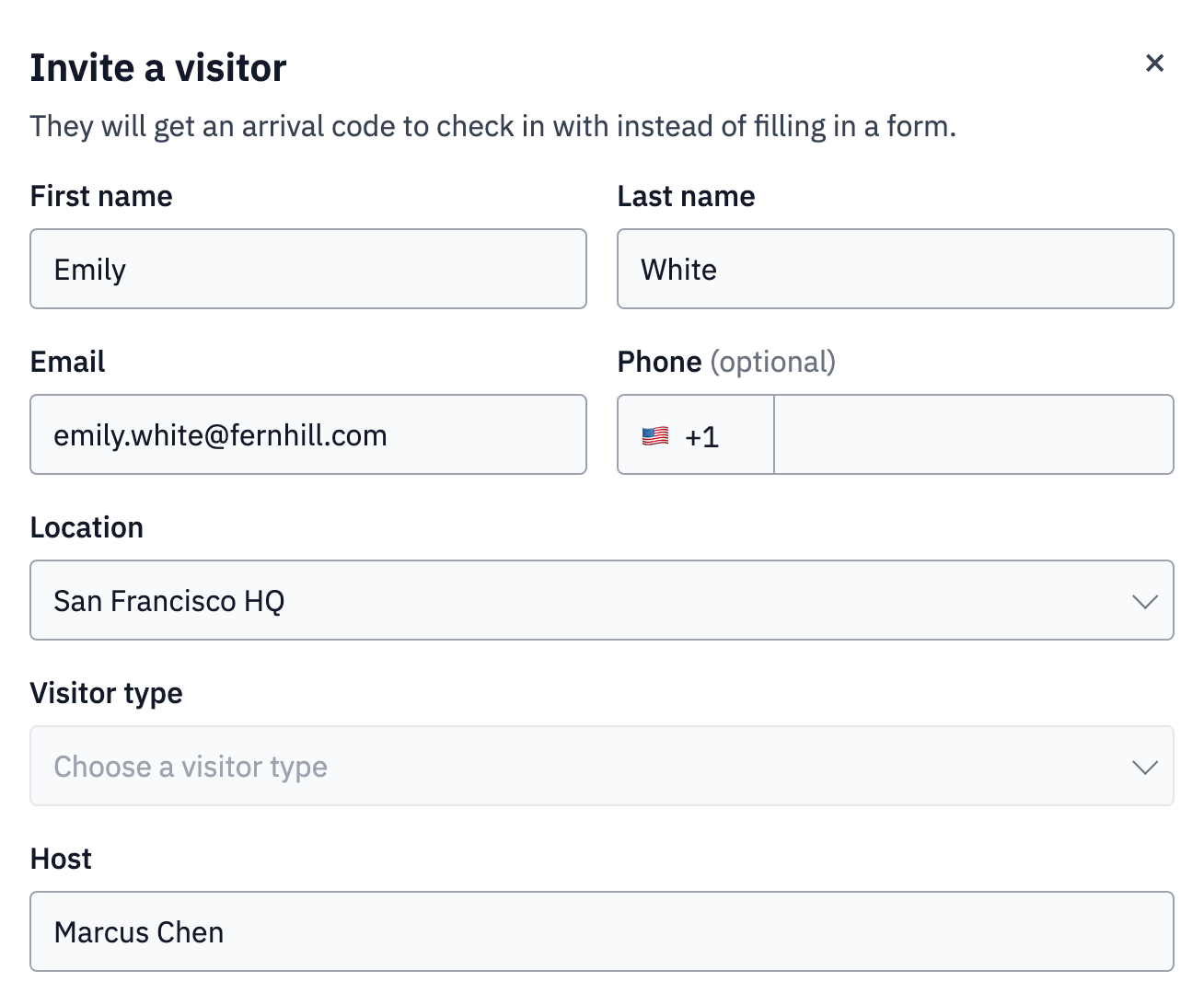
Invite guests ahead of time
Invite a visitor from the web console and they get an email with a Visit Pass, so they know where to go and who they are meeting. Expecting a group? Pre-register everyone at once.
- Visit Pass by email
- Bulk pre-registration for groups
-
At the door
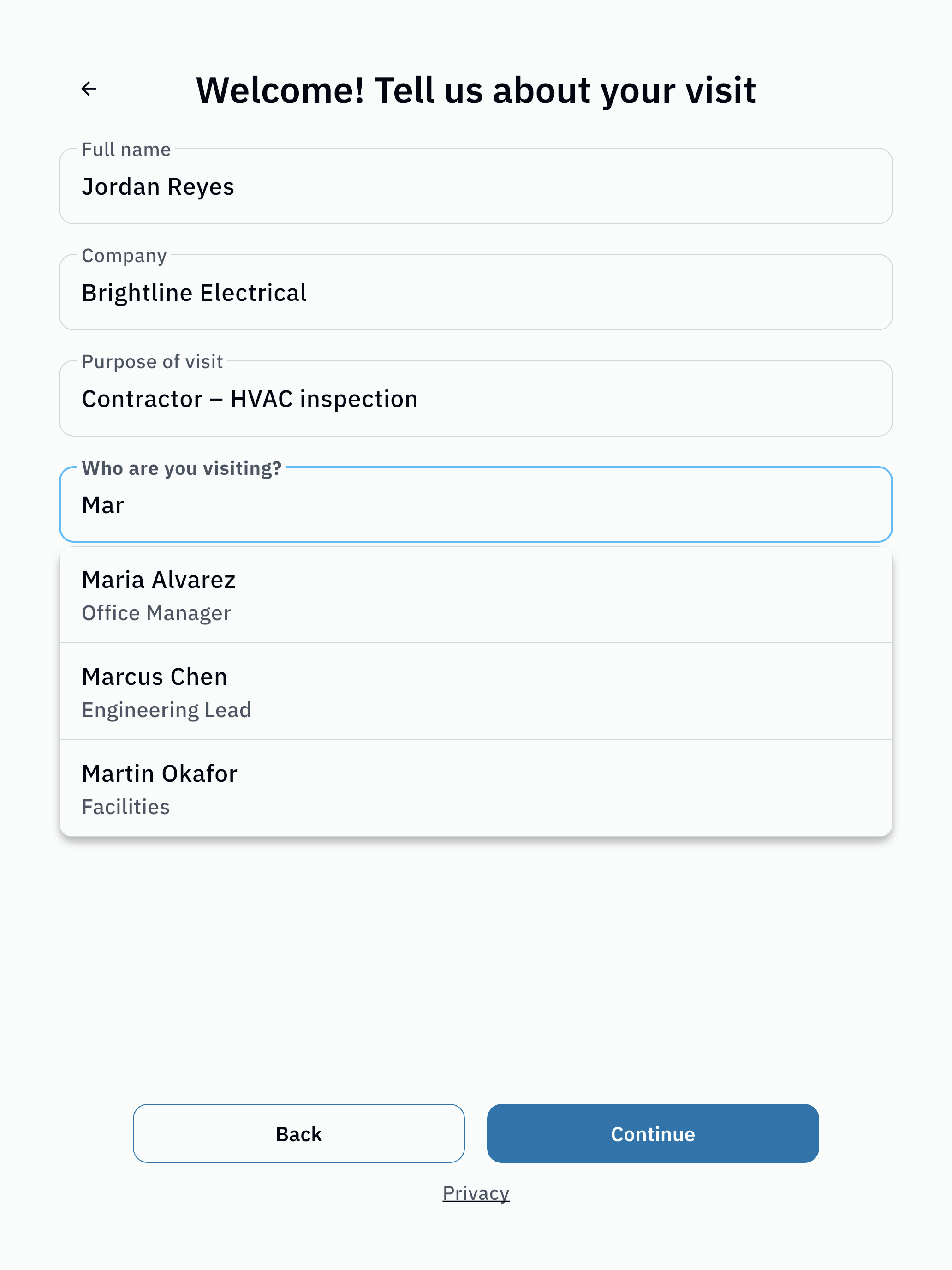
Visitors check themselves in
At the iPad, visitors enter their details, pick who they are here to see, take a photo and sign your NDA. A badge prints as they finish.
- Details, host and photo
- NDA signed on screen
- Badge prints on a Brother QL
-
After
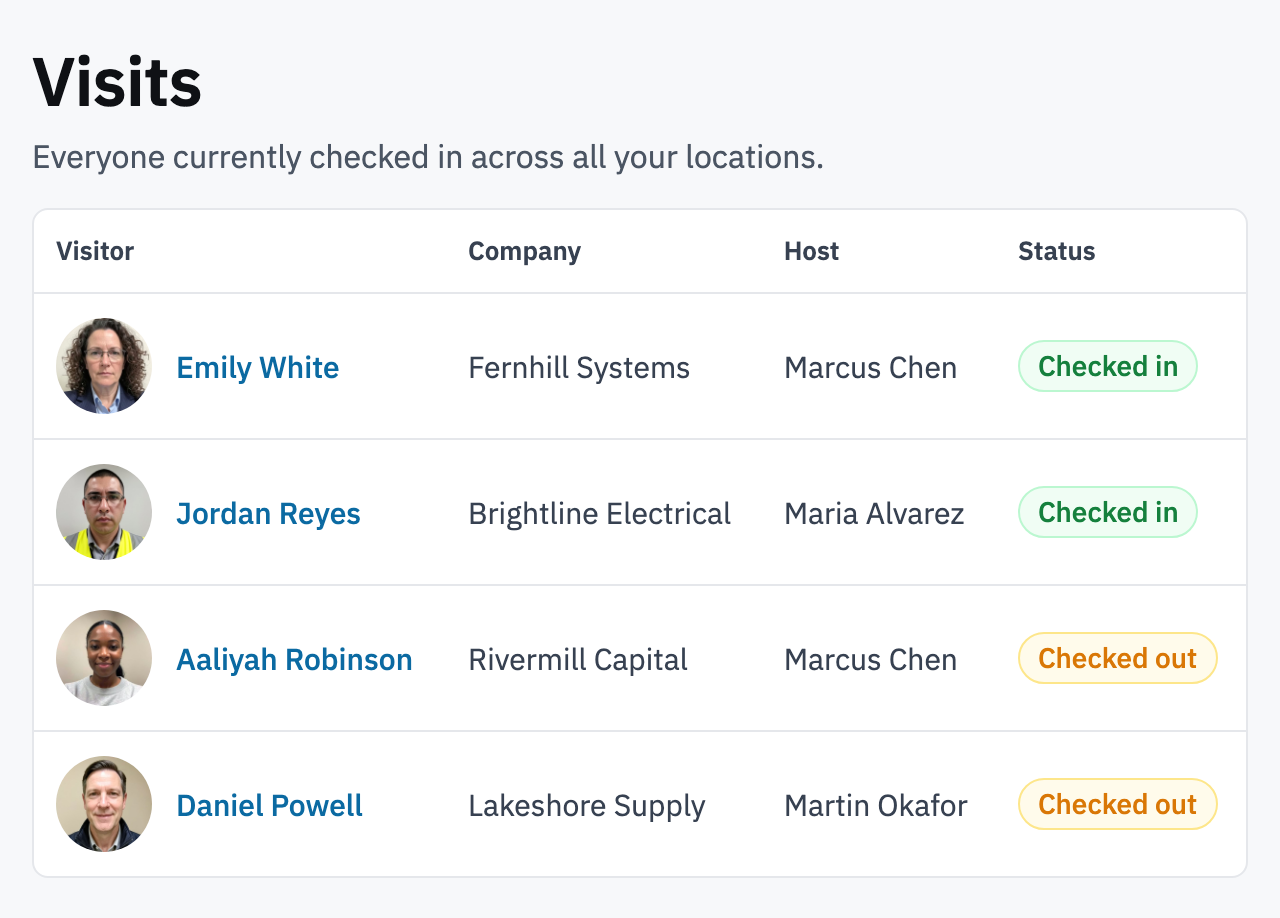
Hosts know, and you know who is on site
The host is alerted the moment their visitor checks in: by email on every plan, plus SMS, Slack or Teams on Pro and up. Your team sees everyone on site in the web console, and the list doubles as an evacuation roster.
- Host alerts by email, SMS, Slack or Teams
- Live on-site list in the web console
- Evacuation roster
What’s included
Everything a front desk needs, nothing it doesn’t.
- All plans
Kiosk check-in, check-out and badges
Visitors sign in and out at the iPad. Badges print on a Brother QL label printer with the visitor’s name, host and time.
- Core and up
Visitor photos and your branding
Take a photo at check-in so hosts know who to look for. Put your logo and colors on the kiosk.
- Core and up
Invites and Visit Pass
Pre-register guests, one at a time or in bulk. Each one gets a Visit Pass by email before they arrive.
- Pro and up
NDAs and e-signatures
Show your NDA or site rules at check-in. Visitors sign with a typed or drawn signature before they go in.
- Pro and up
SMS, Slack and Teams host alerts
Reach hosts where they already are. Email arrival alerts are included on every plan.
- Enterprise
SSO and directory sync
Your team signs in with your identity provider, and the host list stays in step with your company directory.
Set up in three steps
No sales call. No install visit. One iPad.
You can do all of it yourself, before your next visitor walks in.
-
Create your account
Sign up with your work email, add your location and the people visitors come to see.
-
Install the kiosk app and pair the iPad
Download the InstaCheckin kiosk app from the App Store, then pair it with your account. The iPad is ready to take check-ins.
-
Connect a badge printer Optional
Put a Brother QL label printer on the same Wi-Fi network as the iPad. Badges print as visitors finish checking in.
Built for your kind of site
Same kiosk, set up for the way your site works.
A front desk that runs itself
Visitors check in at the iPad and their host gets the alert, so reception can get on with the rest of the day. Works the same whether you have a receptionist or not.
Know who is in the building
Parents, volunteers and contractors sign in at the front office and wear a printed badge. Staff see who is on campus right now.
Site rules and NDAs before the floor
Visitors confirm your safety rules and sign an NDA at check-in, and you keep a record of every visit for audits. Export-controlled sites can ask for citizenship with a custom check-in field.
Check in a room full of guests
Pre-register your guest list, then let attendees check themselves in at one or more iPads with a badge for each.
A consistent record of every visitor
Replace the paper logbook at public buildings and agency offices with a searchable visitor record you can export when you need it.
Security and your data
Visitor records are your records.
You decide who can see them, how long they are kept, and when to take them with you.
-
Two-factor sign-in for admins
Admin accounts can require a second factor at sign-in.
-
Your data kept separate
Each customer’s visitor records are kept apart from every other customer’s.
-
Retention you control
Choose how long visitor records are kept before they are removed.
-
Export your data
Download your visitor log whenever you need it, for an audit or your own records.
-
Single sign-on
Sign in through your identity provider on the Enterprise plan.
Customers
What customers say about InstaCheckin.
“InstaCheckin helps us reflect our brand from the very first moment someone arrives at our office. The ultimate selling point for us was the ease of logging visitors to our facility and the reports, which help us greatly with meeting the SQF compliance and regulatory requirements!”
“We’ve been impressed by the ease of use and the excellent customer service! InstaCheckin gives us an innovative way to greet our visitors, collect NDAs and improve security overall. Visitors love that it’s a quick, easy way to check in, and employees appreciate notifications when their visitors arrive.”
“InstaCheckin was the easiest implementation we have ever been through, with great results! We are able to check in guests as well as get a signed NDA! We have been pleased with all that it can do!”
“Being a technology company, we wanted to welcome our visitors and guests with an innovative yet simple way. InstaCheckin helps us do exactly that while increasing the security of our facility. We really love the notifications as our visitors arrive!”
“Since deploying InstaCheckin at our location, we have been impressed with the improved ease of engagement from our visitors, particularly in securing information from them. The feedback from our visitors has also been positive, as a result of this simpler approach.”
Is there an iPad app?
Which badge printers work?
How are hosts notified when a visitor arrives?
Can visitors sign an NDA?
What languages does the kiosk support?
How long does setup take?
Ready when you are
Put an iPad at the front desk this week.
No credit card required. Set up in minutes.