
Article
Office Visitor Management: What It Actually Changes
A plain-English look at office visitor management: the operational wins, the privacy and audit upside, and how to roll it out at one front desk or many.
By InstaCheckin Team Updated June 18, 2026
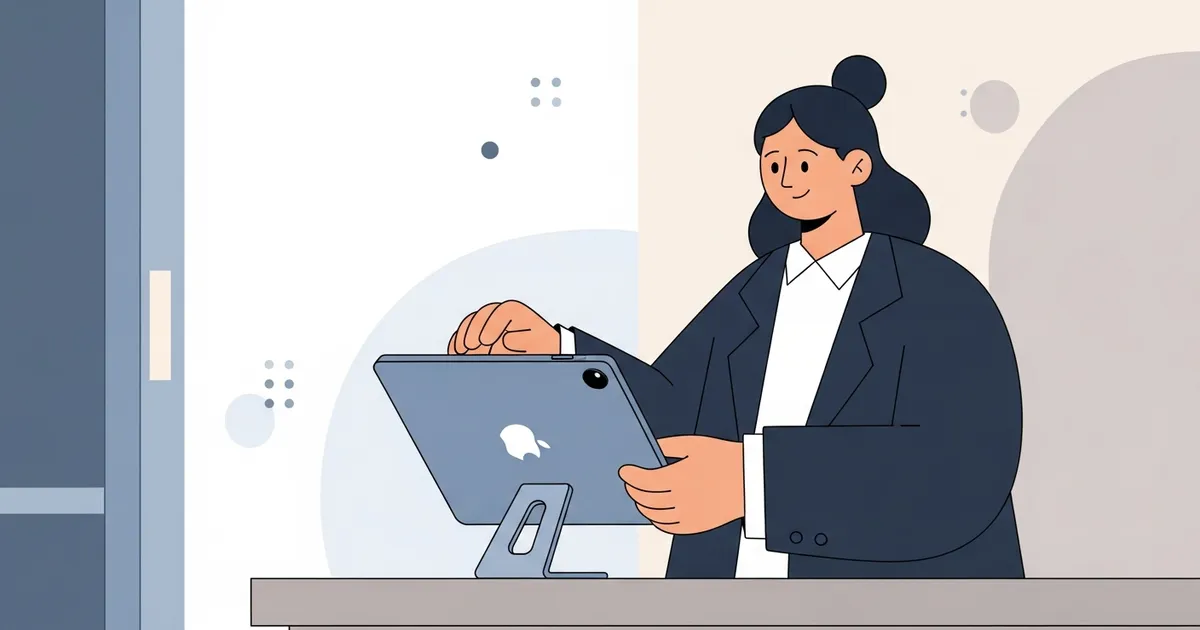
A visitor shows up at 9:02 for a 9:00 meeting. The receptionist is mid-call. The paper logbook on the counter still shows the last eight names, companies, and phone numbers — in plain view of whoever grabs the pen next. The guest stands there. The host has no idea anyone has arrived.
Office visitor management fixes all three of those problems at the same time: the privacy leak, the stalled guest, and the host who’s still waiting. The visitor signs in on an iPad, a badge prints, and the host gets pinged automatically. Nobody at the desk has to make a call or walk down the hall.
This isn’t a feature tour. It’s a look at what changes once you switch — what you actually get back in time, privacy, and a record you can search. If you want the deeper feature-by-feature breakdown, the office visitor management system buyer’s overview goes capability by capability.
What Office Visitor Management Actually Buys You
Strip away the marketing and the job is small. The moment someone walks in, the system does four things and then gets out of the way:
- Captures the visit — name, company, reason for visiting, arrival time, and an optional photo.
- Collects consent — an NDA, a safety waiver, or an export-control notice, signed on the touchscreen and stored with the visit.
- Notifies the host — email and SMS the instant check-in completes, with the visitor’s name and photo attached.
- Prints a badge — name, photo, host, and date, sent to a connected Brother QL label printer before the guest steps away.
The visit then lands in a searchable cloud log you can filter by date, host, or name and export to CSV or PDF. That’s the whole loop. The value isn’t any one of those steps. It’s that all four happen without a person triggering them — which is the difference between a tool your team uses and one that’s back in a drawer by week two.
The Front Desk Math: Where the Time Goes
The cost of paper isn’t the notebook. It’s the interruption tax. Every walk-in turns into a small relay: notice the guest, figure out who they’re here for, call or walk over, wait for the host to come down. Do that ten times a day and your receptionist is spending real hours being a switchboard.
A digital sign-in cuts the host-notification step to zero human effort. The guest checks in, the host’s phone buzzes, and the receptionist never leaves what they were doing. That’s the clearest line from this software to time you get back. For the front desks that also juggle the phones, an AI receptionist for overflow and after-hours calls keeps inbound calls moving while the kiosk handles people at the door — the two biggest interruptions, both off the receptionist’s plate.
If you’re weighing the broader stack, the front-desk automation guide covers which manual jobs are worth removing first.
Privacy and the Audit Trail Paper Can’t Give You
Here’s the part most offices don’t notice until a visitor points it out: a paper logbook is a privacy leak by design. Anyone signing in reads every entry above theirs. For offices handling personal data under GDPR’s data minimisation principle in Article 5 or for California businesses under the California Attorney General’s overview of the CCPA, that open book is a problem hiding in plain sight. This describes a common privacy risk, not legal advice. GDPR and CCPA obligations depend on your specific data-processing context; consult counsel before relying on this for compliance decisions.
Digital records flip that. Each visit goes to a secured admin portal that only authorized staff can open, and you can set a retention window so old entries are purged automatically. The other half of the upside is the audit trail. When counsel or an inspector asks who was on-site on a given afternoon, “we have a clipboard somewhere” isn’t an answer — a filtered, timestamped export is. The visitor management system for office front desks guide walks through how that log holds up when someone actually needs it.
Why Fluctuating Office Headcount Makes the Case
Office attendance isn’t fixed anymore. About six in ten employees with remote-capable jobs want a hybrid arrangement, according to Gallup’s hybrid work indicator, which means the people at your front desk on a Tuesday aren’t the same crowd as Thursday — and neither are their visitors.
That variability is exactly what a self-service kiosk handles well. There’s no assumption that a receptionist is always sitting there, no fixed staffing the system depends on. On a quiet day the iPad sits idle; on a busy one it processes a line without a bottleneck. Pre-registering expected guests smooths the spikes further — a host adds the visitor in advance and the kiosk recognizes them on arrival, so they skip data entry. Visitor pre-registration is the feature that earns its keep when an interview cohort or a vendor team all show up at 10 a.m.
Rolling It Out Without Overbuying
The hardware list is short: one iPad per check-in point, a counter or floor stand, and a Brother QL badge printer if you want printed badges. InstaCheckin supports up to five kiosks per location, so a single front desk needs exactly one iPad — you don’t pay for capacity you’ll never touch.
The decision that trips people up is how locked-down the iPad needs to be. For a staffed desk, Apple’s built-in Guided Access feature, documented in Apple Support, pins the iPad to the sign-in app in about a minute. It’s free, and it’s enough for most offices. For an unstaffed lobby you want the app to relaunch on its own after a reboot — that’s the job for the locked-down setups covered in the iPad kiosk mode guide. Billing is per location, so cost scales with your footprint, not your headcount; the current tiers are on the pricing page.
FAQ
What is office visitor management?
It’s the process of signing visitors in, notifying their host, and keeping a record of who was in the building — usually run from a front-desk iPad instead of a paper book. The visitor enters their details on a touchscreen, signs any required NDA, and a badge prints while the host gets an email and SMS automatically.
Is office visitor management worth it for a small office?
Usually yes, once you get more than a handful of visitors a week. The hardware is just an iPad and an optional badge printer, and the payoff shows up in soft costs: no reception phone-tag, a faster lobby, and searchable NDAs and photos when someone needs them later.
Does office visitor management need a receptionist?
No. A self-service kiosk runs on its own — the visitor checks in, the badge prints, and the host is notified without anyone at the desk. For an unstaffed lobby, lock the iPad to the sign-in app so it relaunches by itself after a reboot.
Can I require an NDA only for certain visitors?
Yes. Documents route by visitor type, so a contractor signs a safety waiver while an interview candidate signs an NDA and a delivery driver signs nothing. Each signed document is archived with that visit’s record. Electronic-record and e-signature enforceability varies by jurisdiction; this describes a product feature, not legal advice.
Try It on One Front Desk
The lowest-risk way to judge office visitor management is to put one iPad on one desk and run real visitors through it for a week. You’ll know fast whether the automatic host notifications and the printed badge change the lobby enough to roll it out further.
Start a free trial and have your first kiosk live in under an hour — no receptionist required to keep it running.
Frequently asked questions
What is office visitor management?
Is office visitor management worth it for a small office?
Does office visitor management need a receptionist?
How is digital visitor management more private than a paper logbook?
Related reading
Front Desk Automation: 5 Tools to Cut Manual Reception Work
Five front desk automation tools for office managers: digital visitor sign-in, AI call handling, online booking, badge printing, and pre-registration.
Office Visitor Management System: A Buyer's Overview
An office visitor management system replaces paper logbooks with a digital kiosk that notifies hosts, prints badges, and keeps visitor records searchable.
Visitor Management System for Office: A Practical Guide
How a visitor management system for office front desks replaces the paper logbook with an iPad kiosk that prints badges, captures NDAs, and notifies hosts.