
pre-registration
Visitor Pre-Registration: How It Works and When to Use It
Visitor pre-registration cuts lobby check-in from 90 seconds to 15. How it works, three deployment patterns, setup in InstaCheckin, and common mistakes.
By InstaCheckin Team Updated April 21, 2026
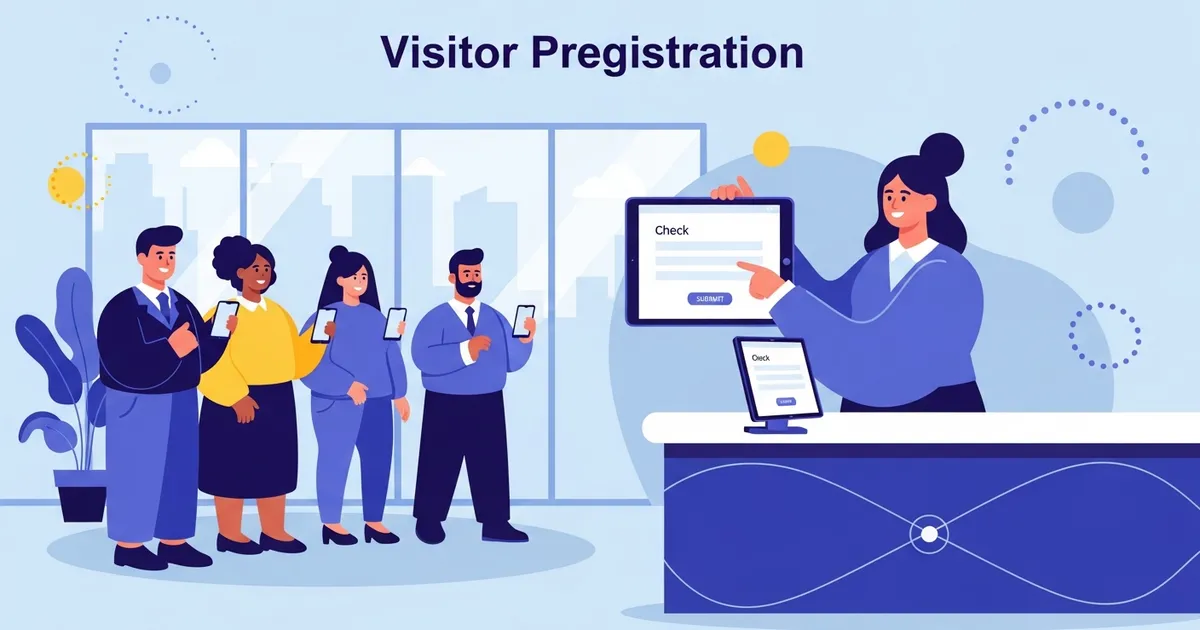
A typical office front desk takes 60 to 120 seconds to sign in a single walk-in visitor — name, email, host, NDA, photo, badge print. Multiply that by an interview day with 12 candidates back-to-back, or a training session with 30 attendees arriving in the same 15-minute window, and the lobby queues out the door. Visitor pre-registration is the feature that turns the same check-in into a 10-to-20-second QR scan.
This post is for the office manager or facilities lead who has watched that queue form and wondered whether pre-registration would actually fix it. It covers what visitor pre-registration is, the three deployment patterns offices use, how to set it up in InstaCheckin, and the four mistakes that quietly kill adoption. Pre-registration is one of the highest-impact features in a visitor sign in system — when it works, the lobby stops being a bottleneck.
What visitor pre-registration is
Visitor pre-registration is a flow where the host (the employee being visited) invites the visitor before the visit happens, and the visitor gets a check-in shortcut that bypasses the data-entry portion of the kiosk flow.
The mechanics, in order:
- The host opens the admin portal — or a Slack or Microsoft Teams shortcut wired to it — and enters the visitor’s name, email, and a scheduled arrival window.
- The system emails (or texts, if SMS is enabled) the visitor a confirmation with a QR code as an inline image and a magic link as plain text.
- The visitor arrives, walks to the iPad kiosk, holds their phone up to the iPad’s camera, and check-in completes in one tap. The host gets the same email, SMS, Slack, or Microsoft Teams notification a walk-in would trigger. The badge prints on the same Brother QL-820NWB the front desk already uses.
The visitor never installs an app. That property — no visitor-side install, no friction at the door — is what makes pre-registration usable for one-time visitors who would never agree to download a vendor’s mobile app for a single appointment.
Why pre-registration matters: the lobby flow math
Concrete numbers matter here because pre-registration’s pitch lives or dies on whether it actually saves time. The honest measurements from offices we deploy:
- Walk-in check-in, paper: 90 to 180 seconds per visitor, including the pen-passing and the host walk-down to the lobby.
- Walk-in check-in, iPad with no pre-registration: 60 to 120 seconds per visitor — the visitor types their name, email, host’s name, signs the NDA on screen, takes a photo, badge prints.
- Pre-registered check-in, iPad with QR scan: 10 to 20 seconds per visitor — the QR scan looks the visitor up, the NDA shows pre-filled, they tap to confirm, the badge prints.
Multiply across realistic volume. An interview day with 12 candidates spread over four hours: walk-in flow burns roughly 18 minutes of cumulative lobby time and produces a queue every time two candidates arrive within 90 seconds of each other. The same day with pre-registration burns about 3 minutes total, and the queue never forms.
The benefit is not just speed. Pre-registration also pushes data entry to a moment when the host has time to type carefully, instead of a moment when the visitor is at the desk guessing the host’s correct title. Cleaner records, fewer “host not found” failures.
Three deployment patterns
Pre-registration looks different depending on who initiates the invite. Three patterns cover most offices.
Host-driven pre-registration
The default pattern. Each employee invites their own visitors via the admin portal, a Slack slash command, or a calendar integration. Works well for sales offices, professional services firms, and engineering teams where individual employees own their visitor relationships. The failure mode: hosts forget, walk-ins keep dominating, and pre-registration sits unused. That is a training problem, addressed below.
Reception-driven pre-registration
The receptionist pre-registers expected visitors on behalf of hosts, working from a shared inbox or a daily calendar review. Common in law firms, executive suites, and offices where the front desk is more concierge than gatekeeper. The failure mode: when reception is short-staffed, pre-registration coverage collapses for the day.
Event-driven pre-registration (bulk import)
Used for interview days, training sessions, trade shows, and corporate events. Someone uploads a CSV — exported from Eventbrite, HubSpot, the ATS, or a spreadsheet — containing 20 to 200 expected visitors with their hosts and arrival windows. The system emails all of them in one batch.
This is where pre-registration’s payoff is largest. A 60-attendee training session with no pre-registration produces a 25-minute queue at start time; with pre-registration and a second iPad, the same group is signed in inside 5 minutes. Bulk import is also the right pattern for automated visitor sign in flows where visitors prefer to scan their own QR code on their phone.
How to set it up in InstaCheckin
The end-to-end setup, high-level. The exact button labels match the current InstaCheckin admin portal.
One-time setup (per location):
- Sign in to the InstaCheckin admin portal at portal.instacheckin.io.
- Go to Settings → Locations → [your location] → Pre-Registration.
- Enable Allow Pre-Registration and set the default visit window — for most offices, scheduled arrival time plus or minus 4 hours.
- Customize the visitor email template. Add your office address, parking instructions, and any access notes. Keep the QR code and magic link in their default positions.
- (Optional) Enable SMS pre-registration and connect the Slack or Microsoft Teams app for host-initiated invites.
To pre-register a single visitor (host-driven): Visitors → Expected → Add Expected Visitor. Enter the visitor’s name, email, host, scheduled arrival, and any custom NDA. Click Send Invitation.
To bulk-import expected visitors (event-driven): Visitors → Expected → Bulk Import. Download the CSV template (columns: name, email, host_email, scheduled_arrival, notes), fill it from your event source, upload, and confirm. The portal previews the first 5 rows so you catch a malformed column before sending 80 emails.
On the iPad at arrival: The visitor taps I have an invitation, the iPad’s front camera scans the QR code, the visit auto-populates, the visitor confirms the NDA and taps Check In. The badge prints on the Brother QL-820NWB, the host gets notified, total time at the iPad is under 20 seconds.
The full kiosk-side flow assumes the iPad is already locked to the InstaCheckin app — see the iPad kiosk mode pillar for the four ways to do that. Guided Access works for one iPad; Single App Mode pushed by an MDM is the right answer at scale.
Edge cases to plan for
Pre-registration covers the common path. The cases below are where deployments quietly fail without explicit handling.
Walk-ins still arrive. Pre-registration is additive — the iPad still accepts standard walk-in check-in for visitors who were not pre-registered. Make sure the welcome screen has both options visible.
Visitor brings a +1. Set host policy in advance. Either the host pre-registers all expected visitors individually (cleanest), or the iPad’s add-companion option captures the +1 as a walk-in attached to the same host. Do not let the +1 sign in under the pre-registered visitor’s identity — it pollutes the audit log.
No-shows. Pre-registration records auto-expire at the end of the visit window. The visitor moves to a No-Show state, the QR code stops working, no badge prints. If the visit reschedules, the host issues a new invitation. Tightening the visit window from 8 hours to 4 hours reduces stale invitations sitting in inboxes.
GDPR and CCPA. A pre-registration record stores personal data before the visit happens, which means it falls under the same retention obligations as a completed visit. Set the same retention window for pre-registration records that you set for visit logs.
This describes product capabilities, not legal advice. GDPR and CCPA compliance depends on your specific data-processing context. Consult counsel before relying on these descriptions for compliance decisions.
Security still has to verify ID. Pre-registration shortens check-in. It does not replace whatever physical ID check, badge issuance, or escort policy your security program requires. Pre-registration confirms the visitor was invited; it does not confirm the person at the desk is the visitor on the invitation.
Common mistakes that quietly kill pre-registration
Four mistakes account for most failed rollouts:
1. Sending pre-registration emails and then leaving the iPad unmaintained. Pre-registration assumes the visitor reaches a working kiosk. If the iPad has rebooted out of Guided Access overnight, or the badge printer is jammed, the QR code is useless. Pair the rollout with a daily morning check that the iPad is in kiosk mode and the printer has labels.
2. Not training hosts to actually invite their visitors. The most common failure. Pre-registration adoption is a behavioral change for every employee who has ever walked a visitor to the lobby — they have to remember the invite step exists. Solve it with a one-time email, a Slack reminder when a calendar event tagged “External Meeting” is created, and a monthly admin report ranking departments by pre-registration coverage.
3. Setting visit windows too wide. A QR code valid for 24 hours is a security smell — visitors forward the email to colleagues, codes accumulate in inboxes, and your audit log gets noisier. Default to a 4-hour window and let hosts override per visit.
4. Treating pre-registration as a replacement for the iPad kiosk instead of an accelerator. The kiosk still has to confirm arrival — that is what fires the host notification, prints the badge, and timestamps the visit server-side. The iPad confirmation step is the part you do not skip.
When pre-registration is and is not worth turning on
Pre-registration is worth enabling for any office above roughly 10 visitors a week, and especially for any office that runs interview days, training sessions, or recurring high-volume visit patterns. Setup time is under 30 minutes per location and the marginal cost is zero — it ships in the standard InstaCheckin product.
Pre-registration is not worth the training overhead for offices with fewer than 5 visitors a month, where individual host-driven invites take longer than walking the visitor through a 90-second iPad sign-in. It is also overkill for unscheduled walk-in traffic, where the host does not know who is coming.
For a 10-to-500-person office that already has a front desk sign in app and a Brother QL-820NWB humming, pre-registration is the next feature to turn on. See our office visitor management system page for the full feature set, or the iPad kiosk mode pillar for the device-side configuration. For a sense of what a minute of front-desk staff time costs, the U.S. Bureau of Labor Statistics publishes time-use data at bls.gov/tus.
Frequently asked questions
What is visitor pre-registration?
Does my visitor need to install an app for pre-registration?
Can pre-registered visitors skip the iPad sign-in entirely?
Is pre-registration data covered by GDPR?
How long does the pre-registration QR code stay valid?
Can I bulk-upload expected visitors?
What happens if a pre-registered visitor does not show up?
Related reading
Front Desk Sign-In App: 7 Things to Look For in 2026
A 7-item checklist for picking a front desk sign-in app — iPad support, badge printing, host notifications, NDAs, multi-site, and honest SMB pricing.
How to Put an iPad in Kiosk Mode (2026 Step-by-Step Guide)
Learn how to put an iPad in kiosk mode using Guided Access, Single App Mode, or MDM. Step-by-step instructions for locking any iPad to a single app — no MDM required for the quick setup.
Visitor Sign-In System: What It Is + What to Look For
A plain-English guide to what a visitor sign-in system does, what it replaces, and a 7-item checklist for evaluating one for a 10–500-person office.