
Article
Healthcare Visitor Management: Replace Paper Sign-In
Healthcare visitor management: sign in vendors, contractors, and auditors with a digital kiosk, printed photo badges, and instant host notifications.
By InstaCheckin Team Updated June 13, 2026
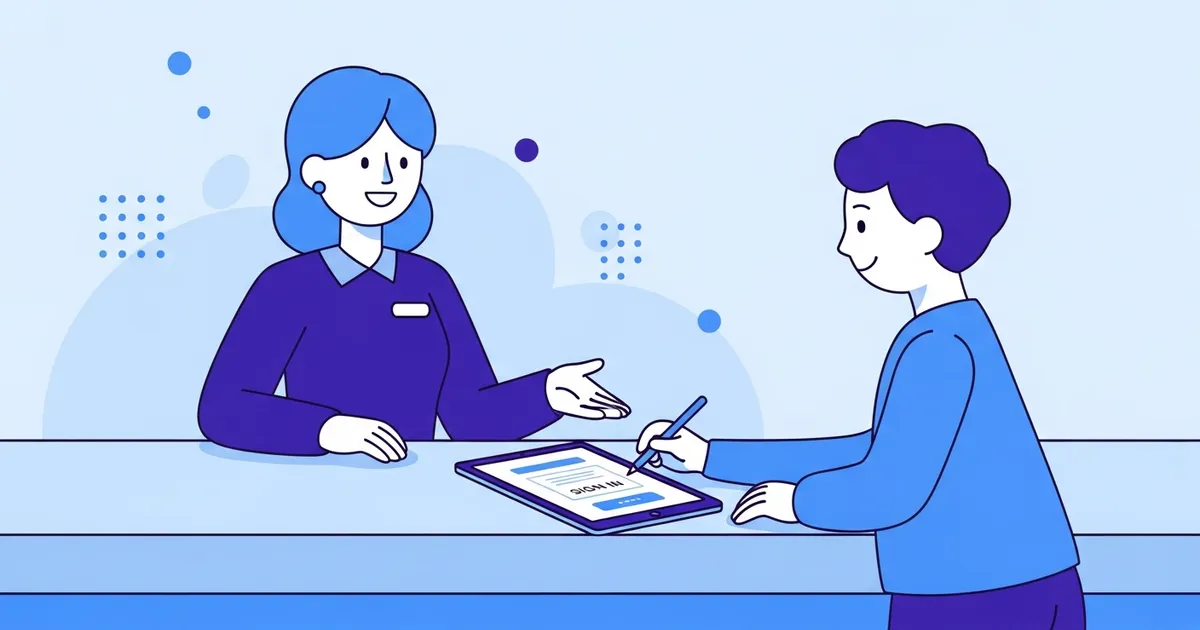
Medical offices, dental practices, and outpatient clinics handle two types of visitors every day: patients, and everyone else. Healthcare visitor management is the process for handling that second group — the pharmaceutical reps, maintenance contractors, medical device technicians, clinical auditors, and job candidates who walk through your front door each week.
That second group almost always signs in on a paper logbook sitting open at the front desk. The previous visitor’s name, company, and reason for being there is readable to the next person who walks up. There’s no automatic way to tell the host their visitor has arrived. There’s no searchable record. Nobody has touched that logbook for compliance review in years.
This guide covers what a digital healthcare visitor management system does, why paper sign-in creates specific problems in clinical environments, and what to prioritize when setting one up.
What Healthcare Visitor Management Actually Covers
Healthcare visitor management addresses non-patient traffic — the vendors, reps, contractors, and business visitors who arrive at your reception desk for meetings, service appointments, or facility work. Patient check-in is a separate workflow with separate requirements; this is specifically about everyone else.
A digital visitor management system handles four core functions at the front desk:
- Digital sign-in — visitors enter their name, company, and reason for visit on a touchscreen iPad kiosk, replacing the paper logbook entirely
- Host notification — the system sends an email and SMS to the relevant staff member the moment their visitor checks in, with no receptionist involvement required
- Badge printing — a branded visitor badge including the visitor’s name, photo, and host prints automatically on a Brother QL badge printer connected to your Wi-Fi
- Visit records — every check-in is stored in the cloud with a timestamp and badge photo, filterable and exportable to CSV or PDF
These four functions replace a paper logbook and a manual phone call with a 60-second self-service workflow. The receptionist’s role shifts from “call Dr. Singh to say his 3 o’clock is here” to “direct the visitor to the kiosk.”
Who’s Actually Walking Into Your Healthcare Facility
The non-patient visitor population at a medical office or outpatient clinic is larger than most front-desk managers expect. Depending on your specialty and size, it includes:
- Pharmaceutical and medical device representatives on rotating visit schedules
- Biomedical and facilities maintenance contractors servicing specialized or regulated equipment
- Clinical auditors and accreditation inspectors reviewing internal processes and documentation — including unannounced site visits from bodies like The Joint Commission
- IT and technology vendors installing, maintaining, or troubleshooting clinical systems
- Job candidates and clinical observers for interviews, training placements, or student rotations
- Delivery and courier services bringing supplies, specimens, or mail
- Students, interns, and volunteers beginning rotations or externships
Each visitor type has a different relationship with your facility. Some need to sign a confidentiality or access agreement before proceeding past the lobby. Some need a photo badge so floor staff can verify who they are. Some visit weekly; others are one-time. Paper handles none of those differences. A configurable digital system routes different sign-in flows to different visitor types automatically.
Why Paper Sign-In Breaks Down at Medical Offices
Three problems come up consistently when medical offices try to manage non-patient visitors with paper logbooks.
Visitor information is exposed on the front desk. A paper logbook sits open. The name, company, and stated reason for visit of every previous visitor is visible to anyone who walks up next. Most days, that’s harmless. But some visits are sensitive — an attorney reviewing a business matter, an inspector from an accreditation body, a candidate interviewing for a position the current staff doesn’t know about. Paper can’t keep those details private from the next person in line.
Host notification is manual. Someone at the reception desk has to stop what they’re doing and call, text, or walk over to tell the host their visitor has arrived. In a busy healthcare front desk — incoming calls, check-in questions, scheduling requests — that hand-off gets delayed or dropped. Digital notification happens the moment check-in completes, automatically, without interrupting the receptionist.
There’s no searchable record. When an auditor, compliance officer, or department head wants to know who was in the building on a specific date, or which contractor company had access last quarter, a paper logbook is the wrong tool. You can’t filter it, sort it, or export it. A digital log produces a filtered report in under a minute.
This post describes product capabilities. For questions about visitor data collection and storage under GDPR, CCPA, or other data-privacy frameworks, consult qualified legal counsel before relying on these descriptions for compliance decisions.
Four Capabilities That Matter in a Healthcare Reception Setting
Not every feature in a visitor management system is equally useful in a healthcare environment. These four consistently change how the front desk actually operates.
Automatic host notification by email and SMS
The core value. When a pharmaceutical rep or service contractor checks in at the kiosk, InstaCheckin immediately sends an email and SMS to whoever they’re meeting with — including the visitor’s name and reason for visit. No receptionist needs to make a call. For facilities where vendor reps visit on rotating weekly schedules, this alone changes how the front desk day runs.
Document routing by visitor type
Some contractors and vendors need to sign a confidentiality or access agreement before entering restricted areas. Configure InstaCheckin to present the right document to the right visitor type: contractors sign the access form, job candidates sign the NDA, regular business contacts skip it. The signed document is archived with the visit record, timestamp included.
Electronic-record and e-signature law varies by jurisdiction. This describes product features, not legal advice; verify enforceability with counsel.
Photo badge printing
A badge with only a name is easy to hand off to someone else. A badge with the visitor’s photo — printed automatically at check-in via a Brother QL-820NWB badge printer — lets any staff member verify the badge against the face. In a multi-floor facility where visitors may move beyond the immediate lobby, that verification matters.
Cloud visitor log with exportable records
Whether you’re responding to an internal audit, a facility safety review, or a request from an accreditation inspector, a cloud-stored visitor log is the right tool. Filter by date, visitor type, host, or company. Export to CSV or PDF from the InstaCheckin admin portal. Each record includes the timestamp, badge photo, and any signed documents from that visit.
Setting Up a Healthcare Reception Kiosk
The hardware list is short:
- Any supported iPad, counter-mounted or floor-standing at the reception desk or lobby entrance
- Brother QL-820NWB badge printer connected to facility Wi-Fi — no computer required between the printer and the kiosk
- InstaCheckin iPad app paired to your admin portal account
Configuration takes 20–30 minutes: upload access documents for each visitor type, build your host directory, set your badge layout. The kiosk is self-service from there.
For an overview of how different reception sign-in tablet setups compare in terms of hardware and software requirements, that guide covers the options in more detail.
For healthcare facilities where the front desk also handles inbound calls and regularly gets pulled in multiple directions, an AI receptionist for overflow and after-hours calls keeps the phone side covered while the kiosk manages in-person check-ins.
InstaCheckin supports up to five kiosks per location under a single admin account. Multi-entrance facilities — a main lobby, a contractor entrance, a loading dock — can each have their own sign-in flow and visitor log, managed from one dashboard.
FAQ
What is healthcare visitor management?
Healthcare visitor management is the process of logging non-patient visitors — vendors, contractors, pharmaceutical reps, auditors, and job candidates — using a digital system that captures their information, collects required signatures, prints a photo badge, and notifies the relevant host by email and SMS.
Who counts as a visitor in a healthcare setting?
Any person entering the facility for a business purpose who isn’t a registered patient: pharmaceutical and medical device reps, biomedical and maintenance contractors, clinical auditors and accreditation inspectors, IT vendors, delivery personnel, and job candidates or clinical observers.
Can a visitor management kiosk require contractors to sign an access agreement before entering?
Yes. Configure the kiosk to present an access agreement, confidentiality form, or safety briefing to specific visitor types during check-in. The visitor signs on-screen and the signed document is stored with the visit record.
Does the system work at an unstaffed reception desk?
Yes. The self-service kiosk runs on a locked iPad and notifies hosts automatically — no receptionist involvement needed for sign-in. Lock the iPad to Single App Mode so the check-in flow restarts if the iPad reboots.
Is a visitor log required for healthcare facilities?
Requirements vary by jurisdiction, facility type, and accreditation body. Many workplace safety frameworks and accreditation standards call for documented visitor access controls. Check with your legal counsel or compliance officer for what applies to your specific situation. This is not legal advice.
Get Your Healthcare Lobby Running Without Paper
InstaCheckin runs on any standard iPad. Set up your host directory, configure visitor types, connect a Brother QL-820NWB printer for photo badges, and the kiosk handles sign-in without receptionist involvement — every visit logged, every host notified, every signed document archived.
For a look at how the same sign-in workflow applies to facilities with stricter access-control and compliance requirements, the manufacturing visitor management guide covers safety waiver capture and audit-trail needs in more detail.
Compare paper and digital options for tracking who’s in your building in the visitor logbook guide.
Start your free trial and have your first kiosk running before the end of the day.
Frequently asked questions
What is healthcare visitor management?
Who counts as a visitor in a healthcare setting?
Can a visitor management kiosk require contractors to sign an access agreement before entering?
Does the system work at an unstaffed reception desk?
Is a visitor log required for healthcare facilities?
Related reading
Manufacturing Visitor Management: The Facility Guide
Manufacturing visitor management for plant floors: how digital sign-in captures visitor data, collects safety waivers, and keeps your audit log ready.
Reception Sign-In Tablet: Hardware, Software, and ROI
What a reception sign-in tablet actually costs in 2026 — iPad models, mounts, badge printers, and software — with concrete dollar ranges and honest tradeoffs.
Visitor Logbook vs Digital Sign-In: 8 Things You Lose
A paper visitor logbook still works for one-day events and off-grid sites. Everywhere else, here are 8 things you give up by not switching to digital.